Royal Wedding Party Planner1.1
Publisher Description

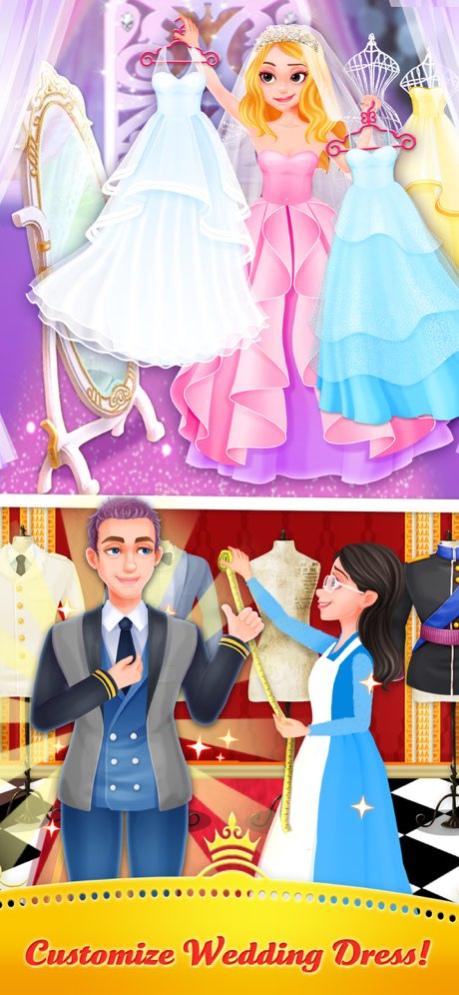


It's the big day to hold a royal wedding party. Come on with me, we are going to plan the greatest royal wedding party ever. Let's get started right now.
On a crazy adventure as we set to make it the most glamorous wedding ever! We’re got a big job to do and you can help.
From preparing the flowers to picking out a gorgeous gown for the bride, it’s sure to be a CRAZY day you’ll never forget!
Features:
> Write down the bride and groom‘s name on the invitation and design the very special wedding invitation with so many stickers.
> Design your own floral bouquets. Get creative with flower arrangements!
> Dress up the bride in a gorgeous gown and stylish jewelry for the big day!
> Choose from tons of elegant tuxedos to dress up the handsome groom!
> Decorate the wedding aisle with gorgeous flowers, bows, and patterns for the bride and groom!
> Cake time! Design the royal wedding cake for the wedding party.
> Wedding party time! Choose the photo atmosphere for the bride and groom, Take the chance to help them to take some sweet pictures to be the cover.
Version History App Optimization;
Bug Fixed; 1.1 03/01/2021 1.0 05/09/2018
About Royal Wedding Party Planner
The company that develops Royal Wedding Party Planner is 瑀璐 陈. The latest version released by its developer is 1.1.
To install Royal Wedding Party Planner on your iOS device, just click the green Continue To App button above to start the installation process. The app is listed on our website since 2026-10-06 and was downloaded 1 times. We have already checked if the download link is safe, however for your own protection we recommend that you scan the downloaded app with your antivirus. Your antivirus may detect the Royal Wedding Party Planner as malware if the download link is broken.
How to install Royal Wedding Party Planner on your iOS device:
- Click on the Continue To App button on our website. This will redirect you to the App Store.
- Once the Royal Wedding Party Planner is shown in the iTunes listing of your iOS device, you can start its download and installation. Tap on the GET button to the right of the app to start downloading it.
- If you are not logged-in the iOS appstore app, you'll be prompted for your your Apple ID and/or password.
- After Royal Wedding Party Planner is downloaded, you'll see an INSTALL button to the right. Tap on it to start the actual installation of the iOS app.
- Once installation is finished you can tap on the OPEN button to start it. Its icon will also be added to your device home screen.
Program Details
System requirements
Download information
Pricing
Version History
version 1.1
posted on 2026-10-06
Version History App Optimization;
Bug Fixed; 1.1 03/01/2021 1.0 05/09/2018
version 1.1
posted on 2021-03-01
Mar 1, 2021
Version 1.1
App Optimization;
Bug Fixed;
version 1.1
posted on 2021-03-01
App Optimization;
Bug Fixed;
